
Think of network capacity planning less as an IT chore and more as a strategic business practice. It’s all about making sure your network can handle everything your business throws at it, both today and tomorrow. This is the fundamental shift from being reactive—scrambling to fix problems after they’ve already caused chaos—to being proactive, where you prevent those problems from ever happening.
Why Your Business Needs Proactive Capacity Planning
Have you ever seen a massive marketing campaign launch, only for the company's website to crash under the weight of all the excited new visitors? That’s a classic, and painful, example of what happens when capacity planning gets ignored. Your network's performance is directly linked to your bottom line and your brand's reputation. Waiting for things to break is just asking for trouble.
When you get capacity planning right, you flip the script. Instead of constantly putting out fires, you’re building a network that’s inherently resilient. It's designed from the ground up to manage current demands while being ready for what’s next. This isn't just about keeping the lights on; it's about enabling the business to hit its goals.
Beyond Just Preventing Outages
A solid plan delivers a clear return on your investment. You stop overspending on hardware you don't actually need and ensure that your resources are ready for action when it matters most. This kind of foresight is what allows you to support major business initiatives.
- Fueling Business Growth: You can confidently handle the traffic spikes that come with new product launches, seasonal rushes, or expansion into new markets.
- Improving User Experience: Consistently fast and reliable performance is non-negotiable for keeping customers happy and employees productive.
- Creating Financial Predictability: You can finally move away from costly, unpredictable emergency upgrades and adopt a planned, budget-friendly investment cycle.
Looking at historical data is a huge part of this. From my experience, it's not uncommon to see network utilization creep up to 70% or 80% during peak times. Once you hit those numbers, you're in the danger zone for slowdowns. Understanding these patterns is key to accurately forecasting what you'll need down the road. You can find more insights on using historical data for network planning on Kentik.com.
The real goal of network capacity planning is to align technology investments with business outcomes. It’s about ensuring the network is an enabler of growth, not a bottleneck that restricts it.
To help you get started, let’s break down the essential components of a strong capacity planning strategy. Each piece of the puzzle plays a critical role in building a complete picture of your network's health and future needs.
Key Focus Areas in Network Capacity Planning
| Component | Objective |
|---|---|
| Current Performance Assessment | Establish a baseline by measuring existing bandwidth, latency, and utilization. |
| Growth Forecasting | Predict future demand based on business goals, user growth, and new applications. |
| Bottleneck Identification | Pinpoint specific weak points in the network (e.g., switches, routers, links). |
| Tool Selection | Choose the right monitoring and analysis tools to gather accurate data. |
| Optimization Strategy | Develop and implement a plan to upgrade or reconfigure resources. |
Each of these areas requires focused attention. When you put them all together, you create a robust framework that turns your network from a potential liability into a genuine asset.
Ultimately, this proactive approach builds confidence across the entire organization. When you know for a fact that your network can handle whatever is coming, you can chase ambitious goals without one eye on your infrastructure. It creates the foundation you need, which is where effective IT network monitoring becomes your most valuable ally for gathering the right data. Your network stops being a cost center and starts being a real competitive advantage.
Establishing Your Network Performance Baseline

Before you can even think about planning for the future, you need to know exactly where you stand today. You can't chart a course without a starting point, and in network capacity planning, that starting point is a rock-solid performance baseline. This isn't about gut feelings or assumptions; it's about replacing "I think the network is slow" with hard data.
Think of it like a doctor running a full set of diagnostics. You need a complete health report on your network to understand its current state and identify any underlying issues. This initial audit is the foundation for every strategic decision that follows.
Collecting Your Core Performance Metrics
Your first move is to gather the vital signs of your network. These numbers will tell the real story of how your infrastructure holds up under its daily workload. To get a true picture, you'll want to capture this data over a representative period—a full business week or even a month is ideal to smooth out any unusual peaks and valleys.
Here are the key metrics you need to be tracking:
- Bandwidth Utilization: This is the big one—how much of your available connection is actually being used? If you're consistently seeing peaks above 80%, that's a major red flag. You're pushing the limits, and performance is about to take a nosedive.
- Latency (Ping): This measures the round-trip time for data. To your users, high latency just feels like "slowness," even if you have plenty of bandwidth to spare.
- Jitter: This is the variation in your latency. Inconsistent delay wreaks havoc on real-time applications. It's the reason VoIP calls get garbled and video conferences become a choppy mess.
- Packet Loss: This is the percentage of data packets that simply vanish in transit and have to be resent. Even a seemingly tiny amount of packet loss can bring application performance to a crawl.
A common mistake I see is teams focusing only on bandwidth. I’ve worked with organizations that had massive internet pipes but were still plagued by poor performance. The culprit? High latency and jitter from aging internal switches. A good baseline looks at the whole picture, not just the front door.
Mapping Your Network and Its Dependencies
Once you have your core metrics, it's time to create a map of your network's physical and logical layout. This isn't just busywork; it's about understanding precisely how data moves and which business functions depend on which pieces of hardware.
Start by inventorying every critical device: routers, switches, firewalls, and wireless access points. From there, document the key applications and services that run on the network. For instance, a dental practice would map out how its patient management software, digital X-ray system, and VoIP phones all connect and consume resources.
This process allows you to connect a technical problem to a direct business impact. If you spot high latency on the switch that supports your accounting team's database, you know exactly who is feeling the pain and can prioritize a fix. This detailed view is what turns raw data into truly actionable insights for your capacity plan.
Forecasting Your Future Network Demand
Predicting your future network needs isn't about gazing into a crystal ball. It’s about moving past simplistic, linear projections that rarely reflect the real world of business. To do effective network capacity planning, you have to dig deep and actually quantify how upcoming business plans will stress your infrastructure.
This means you need to start asking bigger, more strategic questions. Are we migrating a core service to the cloud? Is a new branch office on the roadmap? What about that new data-heavy application everyone's excited about? Each of these initiatives brings its own unique set of demands, and your forecast has to be smart enough to see them coming.
Think of it as a clear, structured process. You start with raw data, analyze it for trends, and then build an actionable forecast that can guide your decisions.
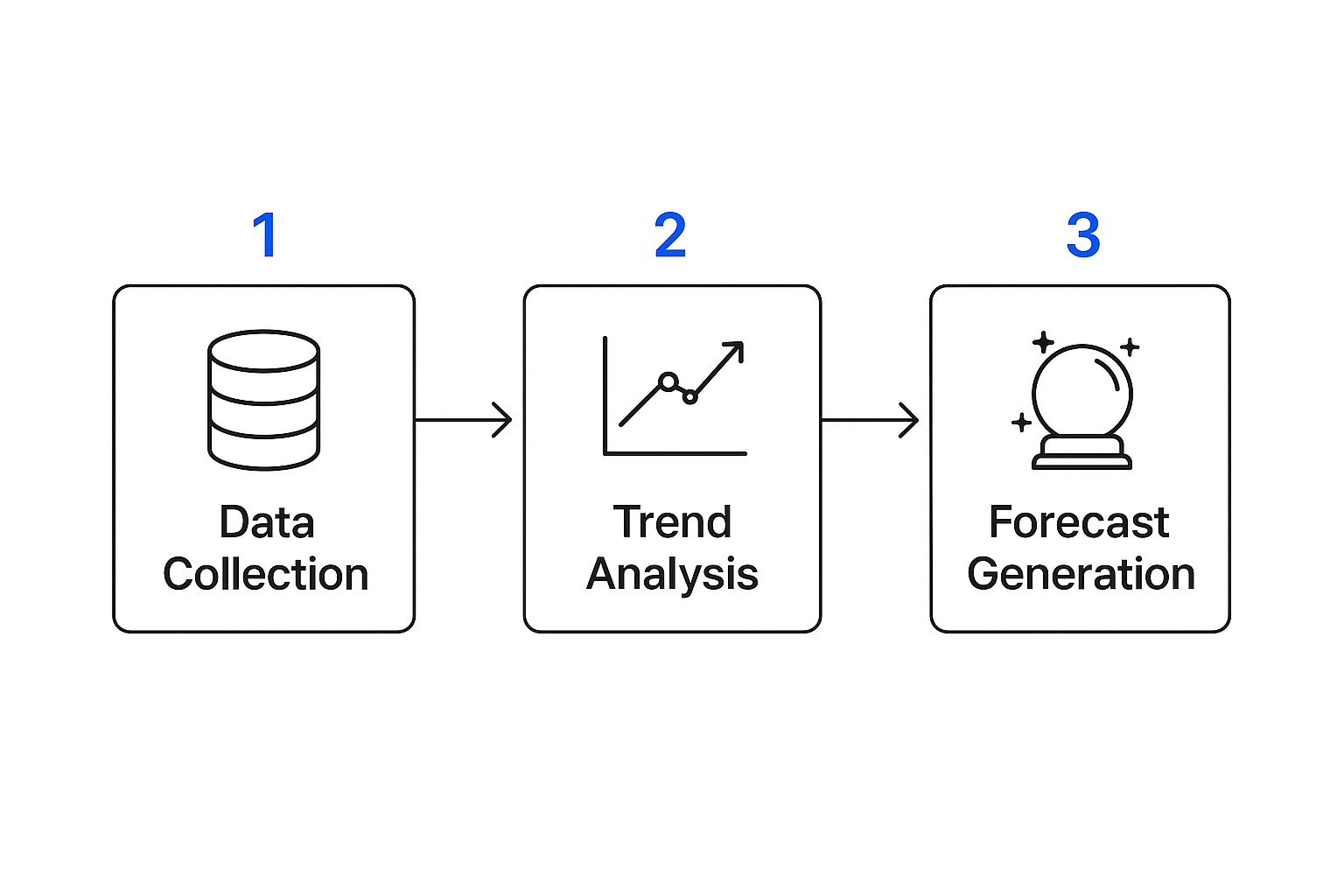
This diagram really nails the flow: from gathering what you know to predicting what you'll need.
Modeling for Growth and Spikes
Let's get practical. Imagine an e-commerce business heading into the holiday shopping season. A basic forecast might just slap a 20% year-over-year increase on last year's traffic. But a truly experienced team knows that's not enough. They’d blend historical sales data with the specifics of this year's marketing campaigns to anticipate those intense, short-term traffic surges.
This is where scenario-based modeling is your best friend. It lets you play out different "what-if" situations so you're not caught off guard.
- Best-Case Scenario: What happens if our new ad campaign goes viral and traffic doubles overnight?
- Worst-Case Scenario: What’s the plan if a key upstream provider has an outage on Black Friday?
- Planned Growth: How will adding high-resolution product videos for our top 100 items impact bandwidth?
This kind of forward-thinking is non-negotiable in today's world. For many businesses, seasonal demand is a given, with some seeing a predictable 30% jump in network usage during their peak season. It’s all about making sure your infrastructure can keep up.
Modeling for both steady growth and sudden spikes is how you build a resilient network. It turns your forecast from a wild guess into a strategic asset that justifies spending and proves IT's value to the rest of the business.
Factoring in Application-Specific Demands
Here’s something I’ve learned over the years: not all traffic is the same. The explosion of real-time, interactive applications has completely changed the game. These services are far more demanding per user than simple web browsing. When you're forecasting, you have to look at user metrics, especially for things like video streaming. For instance, knowing how to decide concurrent users (CCUs) for a Pixel Streaming app is critical for understanding the true capacity needed for these intensive workloads.
Picture this: your company decides to roll out a new VR training platform for all new hires. Just counting the number of users won't cut it. You have to understand the specific bandwidth, latency, and jitter requirements for every single active session to get an accurate picture of the network impact.
When you build these detailed, business-focused models, network capacity planning stops being a reactive chore. It becomes a proactive, strategic function. You can walk into a meeting with stakeholders and confidently explain not just what you need, but why you need it, connecting every dollar of infrastructure investment to a clear business goal. This is how you ensure your network is always ready for what's next.
Pinpointing and Resolving Network Bottlenecks

Here's a hard truth: your network is only as strong as its weakest link. Once you've established a solid performance baseline, the real detective work begins. It's time to hunt down those hidden chokepoints that are secretly throttling your performance.
These bottlenecks are the specific points of congestion keeping your network from operating at its full potential. Finding and fixing them is the very essence of network capacity planning.
A bottleneck isn't always a smoking gun. Sure, a completely saturated internet connection is easy to spot, but most performance issues are much more subtle. They can hide in plain sight as an overworked firewall, an underpowered switch servicing a critical department, or even a simple misconfiguration causing traffic to loop endlessly.
Analyzing Data to Find Chokepoints
Think of your baseline data as a treasure map leading to the source of your problems. Start by laying your performance metrics over your network topology map. Where do the numbers look consistently bad?
For instance, if you see high latency and packet loss isolated to users on a single Wi-Fi access point, you’ve probably found your culprit.
I see this all the time with Voice over IP (VoIP) systems. A client will complain about terrible call quality—choppy audio, dropped calls—even though they’re paying for a fast internet connection. After a quick look at the jitter and packet loss metrics, the problem almost always points back to an old, unmanaged switch in a forgotten closet that can't prioritize real-time voice traffic. Without that data-driven approach, they might have wasted money upgrading an already sufficient internet plan.
Your goal is to separate symptoms from the root cause. A slow application is a symptom; an overloaded switch port is the root cause. Effective troubleshooting focuses on fixing the cause to eliminate the symptom for good.
If you want to sharpen your diagnostic skills, these helpful tips to troubleshoot common business network issues offer some great practical advice.
Implementing Targeted Solutions
Once you’ve identified a bottleneck, you have to decide how to fix it. The right solution really depends on the specific problem, but your options generally fall into two buckets: optimization or upgrades.
Optimization Strategies:
- Quality of Service (QoS): This is basically your network's traffic cop. QoS policies let you give priority to critical applications (like VoIP or video calls) over less time-sensitive traffic (like big file downloads).
- Traffic Shaping: This technique helps smooth out traffic spikes by delaying certain packets, preventing the network from getting overwhelmed. It’s a great way to manage bandwidth-hungry but non-urgent activities without bringing everything to a halt.
Hardware and Infrastructure Upgrades:
Sometimes, you just can't tweak your way out of a hardware limitation. If a core switch is pegged at 90% CPU utilization during business hours, no amount of software configuration will fix that.
In these situations, a targeted upgrade is the only real long-term fix. This could mean replacing that aging switch, upgrading a key router, or boosting the bandwidth on a saturated link between two offices.
The key is to make surgical, data-backed decisions. By methodically digging into performance issues and applying precise fixes, you ensure your capacity planning efforts deliver a faster, more reliable network for everyone who depends on it.
Choosing the Right Tools for Your Environment
Picking the right software for network capacity planning isn't about finding a single "best" tool. It’s about finding the right one for your team, your budget, and your specific technical setup. Think of this software as the engine for your entire strategy—it's what collects the data, reveals the trends, and ultimately drives your decisions. This choice matters.
A great tool can take capacity planning from a chore you dread to an automated, almost effortless process. But the wrong one—something too complex for your team or missing a critical feature—just adds another layer of headache. The goal is to land on a solution that gives you clear, actionable data without needing a PhD to understand it.
Core Features to Look For
When you're comparing options, it's easy to get sidetracked by flashy dashboards or a long list of features you'll never use. To stay on track, concentrate on the core capabilities that directly support effective capacity management.
Here's what should be on your non-negotiable list:
- Real-Time Dashboards: You need a live, at-a-glance view of your network's health, showing current utilization, latency, and other vital signs.
- Historical Reporting: Looking back at performance data over weeks, months, or even years is absolutely essential for spotting long-term trends and accurately forecasting what’s next.
- Intelligent Alerting: The system needs to be smart. It should warn you about potential problems before they take down your network, going far beyond simple "it's up" or "it's down" notifications.
- Predictive Analytics: This is a game-changer. Modern tools use machine learning to forecast future demand based on past performance, letting you get ahead of upgrades instead of reacting to failures.
I’ve seen teams get stuck with tools that are great at showing what's happening right now but offer no insight into future needs. That's monitoring, not planning. A true capacity planning tool must help you look around the corner.
Comparing Your Options
The market for monitoring tools is huge, but it generally breaks down into a few distinct categories. Understanding the pros and cons of each will help you narrow the field and find the perfect match. For instance, a small business might start lean with an open-source tool, whereas a healthcare practice dealing with sensitive patient data might need a robust commercial solution to meet compliance standards. If you're navigating those kinds of requirements, it's worth checking out our guide on creating an IT compliance policy.
To help you get started, I've put together a simple table breaking down the most common types of network monitoring tools.
Comparison of Network Monitoring Tool Categories
| Tool Category | Key Strengths | Best For |
|---|---|---|
| Open-Source (e.g., Zabbix, Nagios) | Highly customizable, no licensing fees, and backed by a strong community for support and extensions. | Organizations with strong in-house technical expertise, a tight budget, and a desire for deep customization. |
| Commercial (e.g., SolarWinds, PRTG) | User-friendly interfaces, comprehensive vendor support, and tons of pre-built integrations that just work. | Businesses that need an all-in-one solution with fast setup, dedicated support, and minimal ongoing maintenance. |
| Cloud-Native (e.g., Datadog, New Relic) | Excellent for monitoring dynamic cloud and hybrid environments; SaaS-based, so no on-premise hardware needed. | Companies heavily invested in AWS, Azure, or GCP that need deep visibility into ephemeral resources and services. |
In the end, the best tool is the one your team will actually use. Always take advantage of free trials and demos before you sign a contract. Get your engineers involved in the evaluation; if the platform makes their jobs easier, you've found a winner. This initial investment in the right software will pay for itself many times over in improved network reliability and smarter, more confident infrastructure decisions.
Common Questions About Network Capacity Planning

Even with a perfect strategy on paper, the real world of network capacity planning is full of tricky questions and unique challenges. I've been there. Getting straight answers to these common hurdles is what separates a plan that works from one that just collects dust.
Let's dive into some of the questions I hear most often from IT pros getting their hands dirty with capacity management.
How Often Should We Revisit Our Capacity Plan?
There isn't a one-size-fits-all answer here, but I generally recommend a formal review and update of your network capacity plan every quarter. That said, if your business is growing or changing quickly, you need to pick up the pace.
Don't wait for the quarterly meeting if you see one of these triggers on the horizon:
- A major cloud migration is in the works.
- The company is about to launch a new, bandwidth-hungry application (think video platforms or heavy SaaS tools).
- A large new client is coming onboard, or a new office is opening.
- You’ve just rolled out a significant hardware upgrade, which completely resets your performance baseline.
Think of your capacity plan as a living document. It's not a "set it and forget it" task. Keeping it aligned with the business’s real-time trajectory is the only way to stay ahead.
A classic mistake is treating capacity planning like an annual chore. I've personally seen teams get completely blindsided by a mid-year product launch that choked their network, all because their plan was six months out of date. You have to stay agile.
What Is the Best Way to Justify Upgrade Costs?
Getting the budget for new hardware almost always boils down to one thing: tying the technical need to a clear business outcome. You can't just walk into a budget meeting and say, "We need a faster switch." You have to speak the language of risk, cost, and opportunity.
Your job is to translate geek-speak into business impact. For example, instead of talking about packet loss, explain that, "Our current switch is adding 300ms of latency for the sales team, which is slowing down their CRM and directly hurting their ability to close deals."
I’ve found that scenario planning is incredibly effective here. Model the real-world risks of doing nothing. Show the leadership team what happens if a key customer doubles their usage overnight or if your primary data center goes down. When you frame an upgrade as the solution that prevents those nightmares, the investment suddenly feels less like a cost and more like essential insurance against lost revenue.
How Do We Plan for Unpredictable Events?
You can't predict the future, but you can absolutely build a network that's resilient enough to handle surprises. The secret is "what-if" modeling—a technique that large-scale networks use constantly to prepare for volatility.
Start by running simulations based on tough questions:
- What happens if our biggest customer's traffic quadruples next month?
- What if our main data center loses 50% of its servers for a week?
- What if a marketing campaign goes viral and traffic shifts dramatically to a small regional office?
Running these drills helps you find the hidden weak points in your infrastructure. You can see how your network would (or wouldn't) reroute traffic and where you need to build in more buffer capacity. It’s this kind of proactive thinking that turns a potential disaster into a minor, manageable hiccup with almost no impact on your users.
Navigating the complexities of network capacity planning is a full-time job, and it’s critical for any modern business. At InfoTech Enterprise Solutions, we provide proactive, all-inclusive managed IT services that handle the heavy lifting of network monitoring, optimization, and strategic planning for you. Let us ensure your network is always ready for what's next, so you can focus on growing your business. Learn more about our managed IT services.


Leave a Reply