In an age of remote work and cloud everything, it's easy to forget that technology still has a physical reality. That's where on-site IT services come in. Put simply, it’s the hands-on support you get when a technician physically walks into your office to solve a problem.
It's the critical difference between someone talking you through a fix over the phone and an expert standing right next to you, getting it done. This in-person approach is absolutely essential for the kind of problems that remote support just can't touch.
Why Hands-On IT Support Still Matters
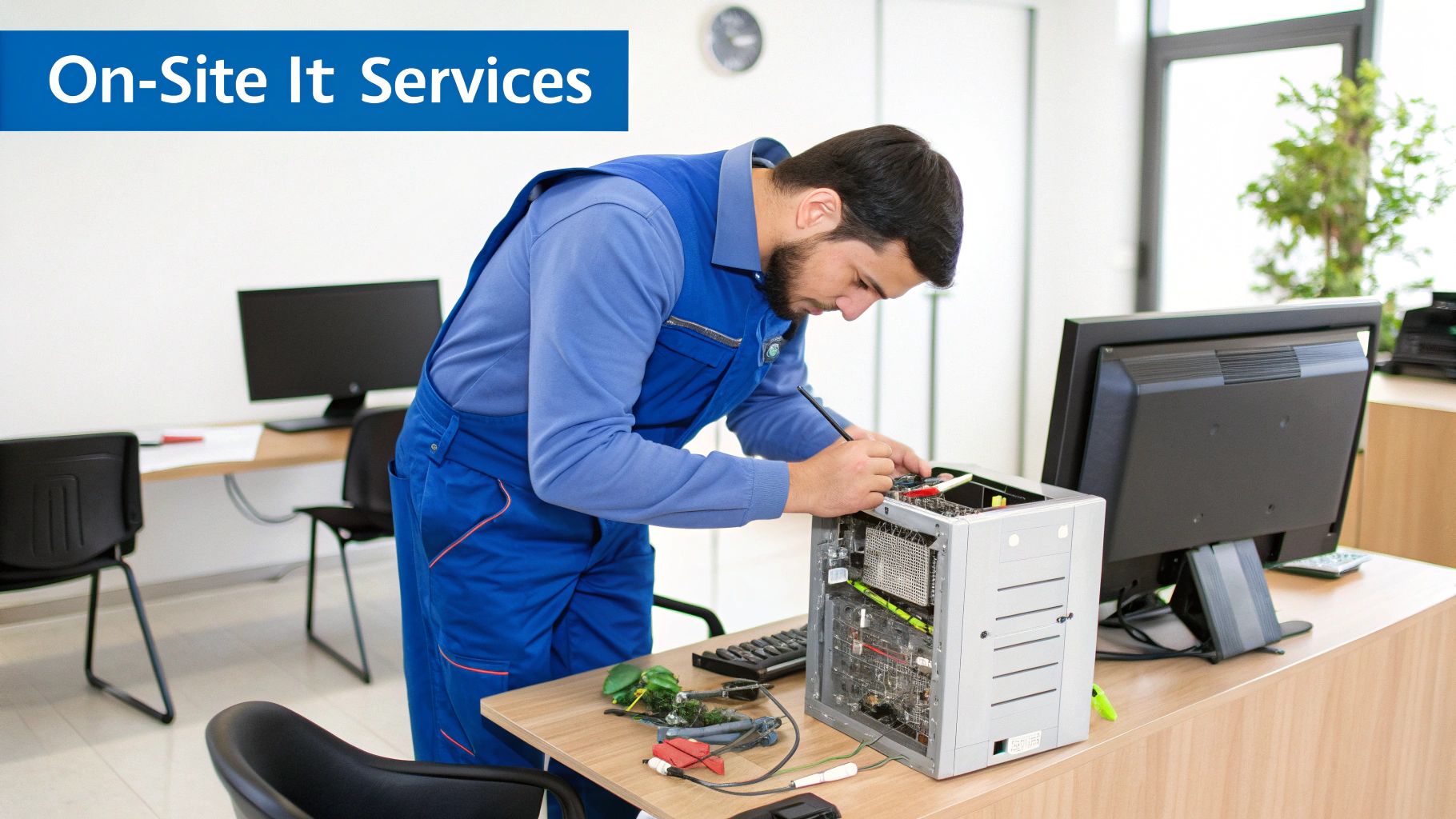
Picture this: your main office server suddenly goes down. Instantly, your entire team is cut off from essential files, customer data is inaccessible, and every second of downtime is costing you money. A remote support agent can run diagnostics, but they can't physically replace a dead hard drive or check a faulty power supply. This is where the true value of on-site IT services shines.
It isn't just about break-fix situations, though. Think of it as having a dedicated mechanic for your business technology. Sure, you can call a helpline about a weird noise your car is making, but only an in-person inspection can find the worn-out part and replace it before you're stranded on the side of the road. On-site IT provides that same preventative, hands-on expertise for your tech infrastructure.
The Tangible Impact of a Physical Presence
The real power of having an expert in the room is their ability to interact with the physical side of your technology. Some tasks are simply impossible to handle from afar.
These core functions almost always demand a hands-on approach:
- Hardware Management: From physically setting up new workstations and servers to securely wiping and decommissioning old equipment, this requires an on-site presence.
- Network Infrastructure: You can't remotely run new ethernet cables, mount wireless access points for better coverage, or troubleshoot a finicky physical port on a switch.
- Emergency Response: When you're facing a true crisis like a server crash, a flood, or physical damage to your equipment, you need someone there—immediately.
On-site support is about providing fast, effective solutions for the physical pieces of your IT puzzle. It elevates IT from a reactive helpdesk to a proactive, physical asset for your business.
At the end of the day, this hands-on capability is what keeps your business running without a hitch. It ensures your hardware is installed correctly, your network is physically sound, and complex problems are solved with a speed and precision that remote-only support can't match. It’s not a luxury; it's a fundamental part of any resilient business strategy.
What On-Site IT Services Actually Involve

So, what does on-site IT support actually look like when the rubber meets the road? Think of it like this: you wouldn't ask a mechanic to fix your car's engine over the phone. You need them there, in person, with their tools. That’s exactly the kind of hands-on, practical help on-site IT brings to your business technology.
This isn't just about fixing a computer that won't turn on. It’s a whole suite of hands-on services that create a more reliable and efficient tech environment. This need for physical support is a big reason why the global IT services market, valued at a staggering USD 3.44 trillion in 2024, is projected to climb to USD 5.23 trillion by 2029. All that new technology needs someone on the ground to install and maintain it.
Hardware Deployment and Repair
One of the most essential jobs for an on-site technician is managing your physical hardware—something remote support simply can't do. When new workstations, servers, or printers arrive, an on-site expert can physically unbox, install, and configure everything. They make sure it's all properly connected to your network right from the start.
And when hardware inevitably fails? An on-site technician is your first responder. They can quickly diagnose a dead motherboard, replace a bad stick of RAM, or swap out a failing hard drive. These are physical tasks that are impossible to handle from a distance, and getting them done fast means your team is back to work with minimal disruption.
Hands-On Network Infrastructure Management
Your company’s network is more than just a signal; it's a physical web of cables, switches, routers, and access points. Keeping this vital system running smoothly, and expanding it as you grow, requires an on-site presence.
Here are a few networking tasks that demand a technician on the ground:
- Running and Terminating Cables: Properly laying new ethernet lines to outfit a new office section or eliminate frustrating Wi-Fi dead zones.
- Mounting Equipment: Installing wireless access points on the ceiling for the best possible signal or securely racking a new network switch.
- Physical Troubleshooting: Visually inspecting and testing hardware to find a faulty port or a damaged cable that remote tools would never catch.
Sometimes, this goes beyond simple fixes. A major upgrade, like a professional fiber optic cable installation, is a complex project that absolutely requires skilled technicians to be physically present.
The real magic of on-site IT is its ability to turn digital problems into physical solutions. It closes the gap between what a diagnostic scan says and what’s actually happening with the hardware, making sure your entire technology ecosystem works as it should.
By taking care of these tangible needs, an on-site team transforms your technology from a source of problems into a genuine business advantage. It's all about preventing physical failures before they happen and providing immediate, effective solutions to keep your operations running without a hitch.
Key Business Benefits of On-Site IT
So, how does having an IT expert physically present in your office actually move the needle for your business? The advantages of on-site IT services aren’t just about convenience—they deliver tangible improvements in operational stability, security, and employee efficiency that directly boost your bottom line.
Think about it. A critical server crashes during your busiest sales week. With remote support, you could be stuck on the phone for hours, trying to describe blinking lights and strange noises. With on-site support, a technician walks over to the server rack in minutes, diagnoses the failed component, and replaces it on the spot.
What could have been a full day of catastrophic downtime becomes a minor hiccup. That's the difference.
Dramatic Downtime Reduction
Downtime is a silent killer of profit and productivity. The ability for a technician to physically interact with your hardware—to actually see, hear, and touch the equipment—is a complete game-changer for getting things resolved quickly. They aren't just relying on remote diagnostic tools; they are at the source of the problem, ready to fix it.
This hands-on approach is the fastest way to minimize lost revenue and stalled projects. By tackling hardware failures, network outages, and server crashes with unmatched speed, on-site services keep your business humming. This mirrors the same logic behind effective field service automation strategies, where getting the right expert to the problem quickly is what drives success.
Enhanced Physical Security and Compliance
Your company’s security extends far beyond just firewalls and antivirus software. An on-site technician becomes a crucial part of protecting your physical assets and making sure you stay compliant.
Here’s where they make a real impact:
- Secure Hardware Disposal: An on-site expert can personally guarantee that old hard drives are physically destroyed or professionally wiped, making sure sensitive data never leaves the building.
- Physical Security Audits: Technicians can spot vulnerabilities you might easily miss, like an unsecured server room door or poorly placed network ports.
- Compliance Adherence: For businesses in healthcare or finance, having an expert on-site is vital for ensuring physical equipment handling meets strict regulatory standards like HIPAA or PCI DSS.
The presence of an on-site IT professional builds a human firewall around your most valuable physical assets, offering a layer of protection that remote services simply cannot replicate.
Boosted Employee Productivity and Morale
Nothing grinds an employee's day to a halt faster than a persistent tech issue. A slow computer, a printer that won’t connect, or a spotty Wi-Fi signal can kill focus and send frustration through the roof. With on-site IT services, your team gets immediate, in-person help.
This isn't just about solving problems faster; it's also a huge morale booster. Employees feel supported and valued when they know an expert is just a short walk away. This immediate access keeps your team focused on their actual jobs, not on battling their technology.
For companies ready to implement this level of support, a good guide to small business IT support can lay out a clear path forward. In the end, on-site IT provides a powerful return on investment by creating a more stable, efficient, and focused workforce.
2. On-Site vs. Remote IT Support: Which Do You Need?
Thinking about IT support isn't a matter of picking one "best" option. It's more like building a well-stocked toolkit. You wouldn't try to fix every household problem with just a hammer, right? The same logic applies to your technology. The smartest IT strategies use both on-site and remote support to build a flexible and resilient system.
The real trick is knowing when to use each one. A software bug or a forgotten password? That’s a perfect job for quick remote help. A server that’s completely down or the setup of a new office network? Those situations absolutely require an expert to be physically present.
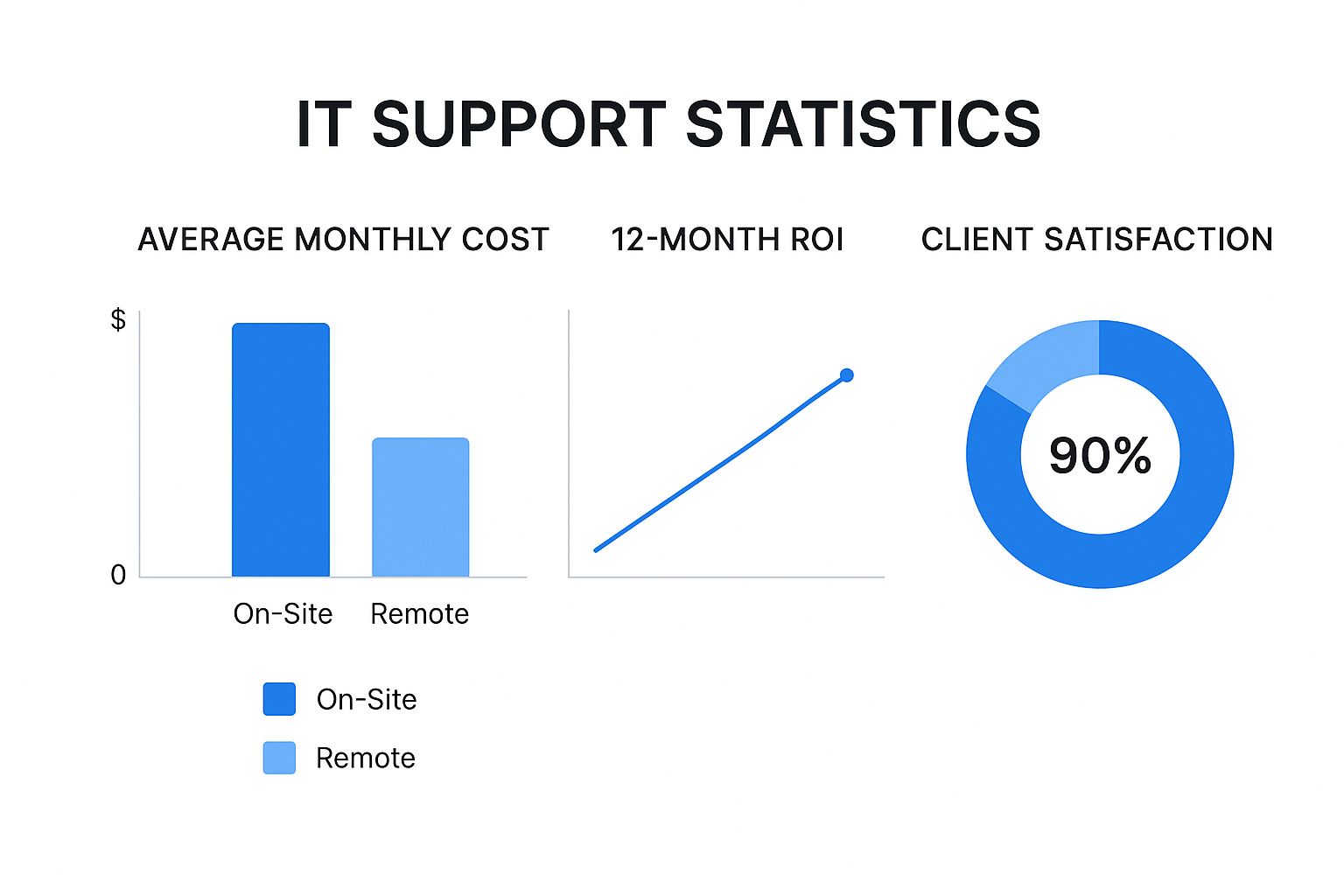
When to Use On-Site vs. Remote Support
Getting a handle on where each type of support shines is the first step toward a smarter, more cost-effective IT strategy. Remote support is built for speed and efficiency with software problems, while on-site help is non-negotiable for anything you can physically touch or for complex environmental setups.
The goal is always to match the problem with the right solution. To make that choice easier, here's a look at how they stack up.
On-Site vs Remote IT Support: Deciding What You Need
This table breaks down the ideal scenarios for each support model to help you understand which is right for your specific situation.
| Scenario | On-Site IT Services | Remote IT Support |
|---|---|---|
| Ideal For | Complex hardware failures, network infrastructure setup, physical security audits, new office installations, and emergency disaster recovery. | Software glitches, user account lockouts, password resets, system updates, application errors, and general user guidance. |
| Benefits | Hands-on problem-solving, can address issues remote tools can't, builds stronger relationships, ideal for complex or sensitive environments. | Immediate response times, lower cost for simple issues, highly efficient for geographically dispersed teams, resolves problems without travel delays. |
| Limitations | Higher cost per incident, requires scheduling and travel time, not practical for minor or geographically scattered issues. | Cannot fix hardware problems, limited by internet connectivity, can be less personal, unable to address physical environment issues. |
Ultimately, a balanced approach gives you the best of both worlds—the immediate help of remote support and the hands-on expertise of on-site services when you truly need it.
A Hybrid Approach Is the Modern Standard
The most effective IT support you can get today is a hybrid model. This setup blends the instant gratification of remote assistance with the powerful, problem-solving capabilities of an on-site technician. It’s a seamless system where an issue can start with a remote session and, if needed, be immediately escalated to an on-site visit without you having to lift a finger.
So, when do you call for backup? Here's a quick cheat sheet:
-
Remote Support Is Perfect For:
- Installing and troubleshooting software.
- Resetting passwords and managing user accounts.
- Deploying system updates and security patches.
- Walking users through application errors.
-
On-Site Support Is A Must For:
- Repairing or replacing hardware like servers and workstations.
- Setting up network cabling and infrastructure.
- Conducting physical security walkthroughs and audits.
- Responding to critical emergencies that take systems offline.
The market data backs this up. In 2024, onshore delivery—which includes the work of on-site professionals—accounted for 63.3% of the US IT services market. Businesses need that hands-on help, especially when dealing with compliance or industry-specific regulations that demand a physical presence.
The real power comes from combining both. This creates a safety net that covers every conceivable IT challenge, ensuring you get the right expert for the job, every single time.
This integrated model is where a great Managed Services Provider (MSP) truly shines. They act as your single point of contact, orchestrating both remote assistance and on-site dispatches from a single team. This unified approach, which leverages a variety of remote IT support tools and on-the-ground technicians, means nothing falls through the cracks.
To learn more about how this works, take a look at our guide on what an MSP is and how to choose one for your business.
Our Proactive Approach to On-Site Support
It’s easy to talk about the benefits of great on-site IT services, but what does that actually look like day-to-day? We've moved far beyond the old "break-fix" cycle where you call for help only after something has gone wrong. Our entire approach is built around proactive, hands-on support that’s woven directly into your business operations, stopping problems before they ever have a chance to slow you down.
It all starts with us getting to know your business on a personal level. We don’t work from generic checklists or make assumptions about what you need. Instead, our process kicks off with a detailed on-site assessment where our technicians physically walk through your office, server room, and production floor. This firsthand look is crucial—it helps us understand your specific infrastructure, your team's daily workflow, and what you’re trying to achieve as a business.
Custom-Built Support Plans
Once we have that crystal-clear picture of your environment, we build a support plan just for you. This is never a one-size-fits-all package. Think of it as a strategic framework designed to deliver the right level of support at exactly the right time.
Your custom plan could include a mix of services like:
- Scheduled Technician Visits: We'll have a technician on-site regularly to perform proactive maintenance, keep your hardware optimized, and spot potential trouble before it escalates.
- Dedicated Emergency Response: When a critical system does go down, you have a clear plan of action. We’ll dispatch an expert right away to get you back up and running.
- Strategic Project Support: Need an extra set of hands for an office move, a new server deployment, or a network upgrade? We provide the on-demand technicians to make it happen smoothly.
We believe that the best on-site IT support isn't about just fixing what's broken; it's about creating an environment so stable and reliable that things rarely break in the first place.
This philosophy is at the heart of everything we do. For instance, instead of waiting for a server to overheat and crash, our technician might notice poor airflow during a routine visit and rearrange the hardware to prevent that failure from ever happening. It’s this focus on prevention that keeps your business running without interruption.
Driving Growth and Stability
This hands-on, forward-thinking management is more important than ever. The global IT services market, valued at around USD 520 billion in 2023, is expected to skyrocket to USD 1.61 trillion by 2025. This massive growth highlights just how critical reliable IT support is for any business trying to stay afloat and competitive. You can dive deeper into these figures by checking out the full IT services market report.
We see the impact of this approach every day. For a local manufacturing client, this meant completely re-cabling their production floor to get rid of network dead zones that kept causing machinery to disconnect. For a healthcare practice, it was a physical security audit to ensure every single workstation was compliant with HIPAA standards.
By providing dedicated and insightful on-site IT services, we help businesses turn their technology from a potential headache into a powerful advantage, giving them the stability and efficiency they need to grow.
Integrating On-Site IT into Your Business Strategy
Choosing the right IT support isn't just a tech decision; it's a core business move. It’s easy to look at on-site IT services and see only a line item on an expense report. But that’s a mistake. Think of it instead as a direct investment in your company’s stability, security, and ability to grow.
The right IT strategy makes technology a launchpad for your business, not an anchor holding it back.
To find that right approach, you need to take a hard, honest look at your daily operations, your risks, and where you want to go. This isn't about getting lost in technical jargon. It’s about asking simple, practical business questions that reveal just how valuable it is to have an expert in the room when things go sideways.
A Checklist for Strategic Evaluation
So, how do you know if on-site support is the right strategic fit for you? Start by asking these questions. Your answers will cut through the noise and show you exactly where hands-on expertise can deliver a real return.
- What does one hour of downtime actually cost our business? Go beyond the obvious. Calculate the lost revenue, the wages paid to an idle team, and the hit to your reputation.
- Is our current hardware secretly slowing us down? Are aging servers, sluggish computers, or a flaky network creating a hidden drag on productivity?
- How secure is our physical data, really? Think about it—what happens to old hard drives? Is your server room or network closet truly secure from unauthorized access?
- Do our growth plans involve new physical infrastructure? If you're planning an office move, a new location, or even adding specialized equipment, you'll need someone there to install and configure it. Remote support simply can't do that.
Answering these questions changes the conversation entirely. You stop talking about cost and start talking about value. Suddenly, on-site IT becomes a powerful tool for reducing risk, boosting efficiency, and building a more resilient company.
Ultimately, weaving on-site support into your strategy is about gaining a competitive edge. Even as we embrace powerful tools like AI, we can't forget they run on physical hardware. You can learn more about some of the potential hurdles in our guide on how using AI for work can get complicated.
By making sure your foundational technology is solid and managed by an expert on the ground, you're not just fixing today's problems—you're building a stable platform for whatever comes next.
Answering Your Questions About On-Site IT Services
Even with all the benefits laid out, it's smart to have questions before bringing an on-site IT team into the fold. Let's walk through some of the things business owners often ask. This should give you a clearer picture of how hands-on support can work for your company and your budget.
How Often Will a Technician Actually Be Here?
This is one of the most common questions, and the honest answer is: it depends entirely on you. There's no one-size-fits-all schedule.
Some of our clients find that a regular weekly or bi-weekly visit works wonders. A technician can pop in, run system health checks, perform proactive maintenance, and handle any little issues that have cropped up. It’s a great way to keep everything running smoothly and stop problems before they start.
Others don't need that regular rhythm. They prefer to call for a technician only when there's a specific project, an emergency, or something that just can't be fixed remotely. The whole point is to build a plan that gives you exactly the support you need, when you need it, without paying for time you don't use.
Isn't This Going to Be Expensive?
I get it. When you compare the hourly rate of an on-site visit to a quick remote session, the on-site option looks pricier at first glance. But it’s crucial to think about the total cost of a problem, not just the line item for the fix.
Think of it this way: what’s the real cost of your team being unable to work?
An expert technician who can walk in and fix a critical server issue in 30 minutes just saved your company from losing an entire day of productivity and revenue. The long-term savings from preventing those operational meltdowns almost always make the initial cost of the visit a smart investment.
What Kind of Businesses Really Need On-Site IT?
While just about any business with computers and a server room can benefit, some industries have non-negotiable needs that make on-site support an absolute must.
- Healthcare: You can't remotely manage specialized medical devices or ensure a new imaging machine is properly connected to the network. Technicians on location are essential for keeping things running and compliant with strict HIPAA regulations.
- Manufacturing: The factory floor is a complex environment. Hands-on support is the only way to troubleshoot and integrate the specialized machinery that connects directly to your network.
- Finance: Security is paramount. On-site experts are needed for physical security audits, setting up secure hardware, and ensuring sensitive data is properly destroyed, all of which are impossible to do from afar.
At the end of the day, if your operations depend on physical servers, specialized equipment, or a reliable network infrastructure, on-site IT services aren't a luxury—they're a fundamental part of keeping your business stable and ready for growth.
Ready to see how a proactive, hands-on IT strategy can transform your business? The team at InfoTech Enterprise Solutions provides customized on-site support designed to eliminate downtime and keep you focused on what you do best. Explore our managed IT services at https://infotech.net.


Leave a Reply