Deciding on a managed services plan is a bit like choosing a cell phone plan. You could opt for a predictable, all-inclusive monthly bill that covers everything, or you might prefer a pay-as-you-go model that flexes with your usage. The real goal here is to shift your IT spending from a reactive, unpredictable expense to a proactive, budgeted investment.
What Is Managed Services Pricing?
Before you can make a smart investment in your company's technology, you need to get a handle on how managed services pricing actually works. Simply put, it's a model where you pay a managed service provider (MSP) a recurring fee to keep your IT environment running smoothly. This is a world away from the old "break-fix" approach, where you'd only call for help—and get a big bill—after something went wrong.
The move toward managed services isn't just a small trend; it's a massive shift in how businesses operate. The global market, valued at USD 393.88 billion, is expected to explode to USD 1,174.27 billion by 2034. That's a projected growth rate of about 11.54% every year, which tells you just how much companies now depend on MSPs to cut costs and keep things running efficiently.
The Core Idea Behind MSP Pricing
The whole concept behind managed services pricing is built on a shared goal. Your MSP is financially motivated to keep your systems humming along without a hitch. Why? Because the fewer problems you have, the less work they have to do, which protects their bottom line. This setup creates a natural partnership where your business gets maximum uptime and productivity.
This model fundamentally changes your IT budget from a chaotic variable to a predictable, fixed cost. Instead of getting hit with surprise invoices for emergency server repairs or data recovery, you pay one consistent monthly fee.
That fee typically covers essential services like:
- Proactive system monitoring and maintenance
- Cybersecurity and threat protection
- Data backup and disaster recovery plans
- Day-to-day help desk support for your employees
If you're curious about how these services are bundled in the real world, you can explore various service pricing structures to see some practical examples.
A well-designed managed services agreement is a true win-win. The client gets reliable, stable IT systems for a predictable cost, and the MSP builds a sustainable business by stopping problems before they ever start.
Common MSP Pricing Models at a Glance
To help you navigate the options, let's start with a quick overview of the most common pricing models you'll encounter. Each one is designed for different types of businesses, from a small team just starting out to a large, complex organization. The trick is to find the structure that best fits your company's size, technical needs, and future plans.
This table breaks down the basics.
Common MSP Pricing Models at a Glance
| Pricing Model | How It Works | Best For |
|---|---|---|
| Per-Device | A flat fee is charged for each managed device (e.g., server, workstation, laptop). | Businesses with a predictable number of devices and a static workforce. |
| Per-User | A flat fee is charged for each user, regardless of the number of devices they use. | Growing companies with employees who use multiple devices (laptop, phone, tablet). |
| Tiered | Service packages are offered in different tiers (e.g., Bronze, Silver, Gold) with increasing levels of service. | Businesses that want to choose a specific level of service that matches their budget and needs. |
| À La Carte | Services are priced individually, allowing you to build a custom plan from a menu of options. | Companies with existing IT staff that only need to outsource specific functions, like security. |
Think of this table as your starting map. As we dig deeper into each model, you'll get a clearer picture of which path makes the most sense for your business.
When you start looking into managed IT services, one of the first things you'll bump into is how providers structure their fees. It’s not a one-size-fits-all world; instead, you’ll find a handful of core pricing models, each designed for different business needs and operational styles. Getting a handle on these is the key to making sure your IT investment actually lines up with what your company is trying to achieve.
You'll find that most MSP agreements are built around a few fundamental structures.
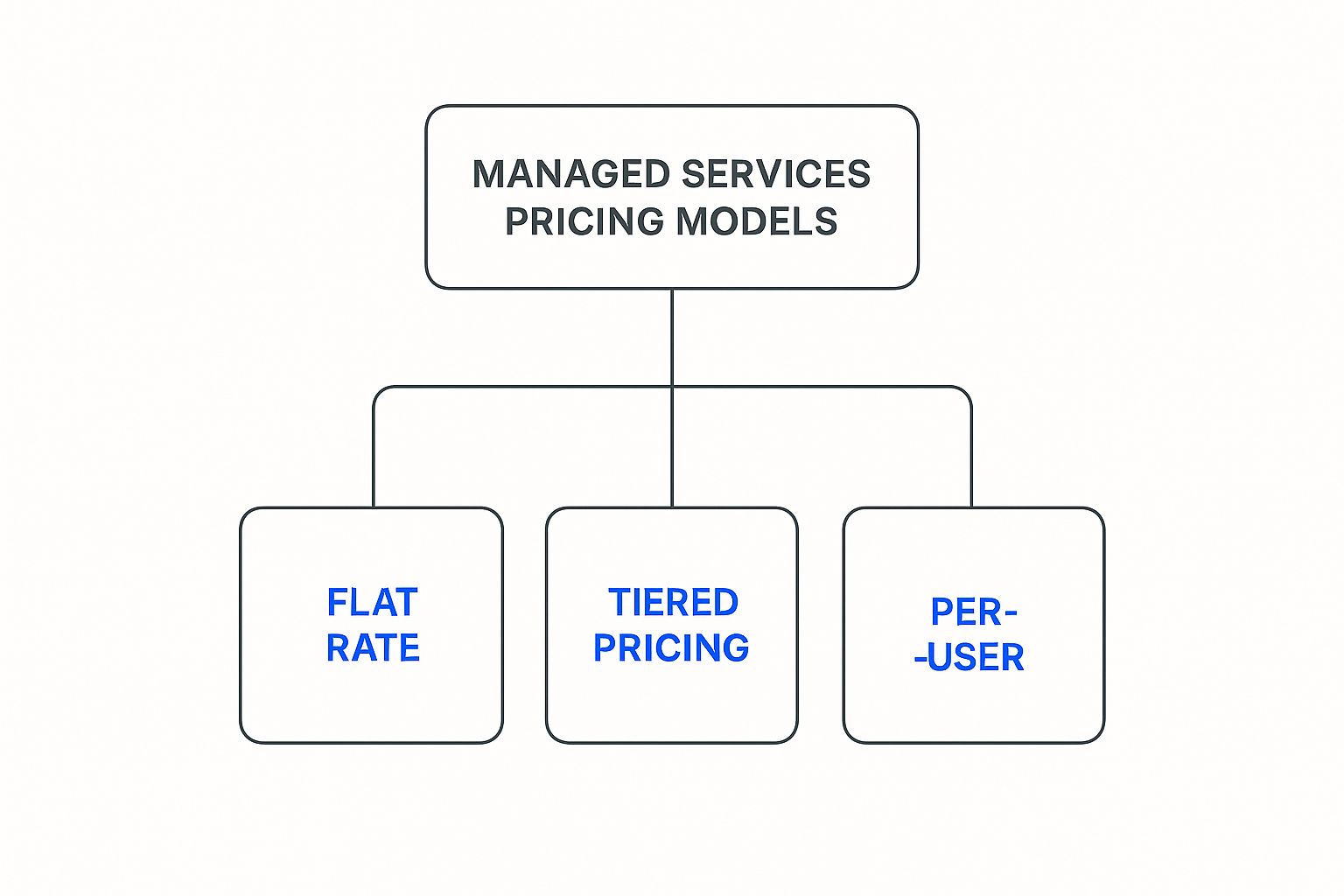
This visual breaks down the most common approaches you'll encounter, like flat-rate, tiered, and per-user models. Let's dig into what each one really means for your business.
Per-User and Per-Device Pricing
The most straightforward models you’ll see are per-user and per-device pricing. Think of the per-user model like buying seats on a plane—you pay a fixed monthly rate for each employee, no matter how many devices they use. This is a great fit for modern workplaces where one person might have a desktop, a laptop, and a smartphone all connected to the network.
On the other hand, per-device pricing charges a flat fee for every single piece of hardware under management. This covers everything from servers and workstations to printers and network switches. While it used to be the industry standard, its popularity has faded a bit as the number of devices per employee has exploded.
What to keep in mind with these models:
- Scalability: Per-user plans are incredibly easy to scale. Hire a new team member? You just add another "seat" to your plan. It’s that simple.
- Predictability: Both options give you a crystal-clear picture of your monthly IT costs, turning what could be a variable headache into a fixed, predictable operational expense.
- Simplicity: The structure is transparent, so you know exactly what you’re paying for each month without having to decipher a complicated invoice.
These models are wildly popular for a reason: they make budgeting easy. This kind of financial predictability is a huge factor in why the managed services market is growing so fast, with projections showing the sector could surpass USD 1.77 trillion by 2037.
Tiered Pricing Packages
Another common approach you'll run into is tiered pricing. Here, an MSP bundles services into different packages, often with names like Bronze, Silver, and Gold. Each tier builds on the one before it, offering a more complete set of services for a higher price.
For instance, a typical breakdown might look like this:
- Bronze Tier: Could cover the basics, like monitoring and help desk support during business hours.
- Silver Tier: Might add proactive maintenance like patch management, antivirus, and backup services.
- Gold Tier: Often includes everything in the Silver package plus 24/7 support, advanced cybersecurity, and strategic IT consulting.
This model lets you pick a service level that fits both your budget and your tolerance for risk. A small shop with simple IT needs might be perfectly happy with a Bronze plan, but a company that handles sensitive customer data would probably want the comprehensive protection of a Gold package.
The catch with tiered plans, however, is the risk of either paying for services you don't really need or discovering that a critical feature is only available in a tier that's out of your budget. A good MSP will work with you to make sure you land in the right spot.
The À La Carte Model
For ultimate customization, there's the à la carte model. This approach unbundles everything, letting you pick and choose individual services from a menu. It’s a fantastic option for businesses that already have some in-house IT staff but need to plug a few specific expertise gaps.
Insight: Think of the à la carte model like ordering from a restaurant menu instead of getting the three-course special. You get exactly what you crave, but the bill can climb fast if you're not paying attention.
For example, your team might handle the day-to-day user support but you decide to outsource more complex functions, such as:
- Cybersecurity monitoring and threat hunting
- Cloud infrastructure management
- Data backup and disaster recovery
While this gives you pinpoint control, it also means the burden of creating a cohesive IT strategy falls squarely on your shoulders. You have to know exactly what you need to avoid creating dangerous gaps in your coverage. A miscalculation here can lead to unexpected problems, and you have to understand the true price of IT downtime before choosing a model that leaves you holding the bag for key responsibilities.
Value-Based or All-Inclusive Pricing
Finally, we have value-based pricing, which represents the deepest level of partnership. Often called an "All-You-Can-Eat" (AYCE) or all-inclusive plan, this model gives you unlimited access to a full suite of managed services for a single flat monthly fee.
This approach is powerful because it aligns the MSP’s goals directly with yours. It’s in their best interest to keep your systems running flawlessly, because every problem they have to fix eats into their own bottom line.
Here, you're buying an outcome—guaranteed uptime, robust security, and total peace of mind—not just a list of services. It’s the go-to choice for businesses that want to completely hand off their IT management so they can focus 100% on what they do best.
Unpacking the Factors That Drive Your MSP Costs

Choosing a pricing model is a great start, but it’s only one piece of the puzzle. Several other key variables will ultimately shape the final number on your managed services proposal. Think of it like a home renovation—the project’s cost isn't just about the contractor's fee. It's about the size of the house, the quality of materials, and how complex the work really is.
In the world of IT, these variables are the core drivers of your managed services pricing. It makes sense that a simple, single-office setup will always be less expensive to manage than a sprawling, multi-location company with a complicated mix of cloud and on-site tech. Understanding what drives these costs helps you get a fair quote and, more importantly, avoid paying for things you don't actually need.
Your IT Environment's Complexity
The single biggest factor that influences your price is just how complex your technology is. Before an MSP can give you a quote, they need to get a clear picture of the landscape they'll be managing. A straightforward network with 15 workstations is a world away from a 150-person company with multiple servers, cloud instances, and quirky legacy applications.
This initial deep dive will look at several key things:
- Age and Condition of Hardware: Are you working with modern, standardized equipment, or is your network a patchwork of aging devices? Older hardware is simply more prone to failure and needs more hands-on attention.
- Software and Applications: Do you use standard office software, or do you rely on specialized, custom-built applications that require unique expertise to support?
- Network Infrastructure: The complexity of your network itself—including switches, firewalls, and wireless access points—directly impacts the management effort required.
- Cloud Integration: Managing cloud resources demands a different skillset than traditional on-premise servers. A hybrid environment, with services spread across your office and the cloud, naturally increases the complexity. If you want to streamline this, check out these seven ways to maximize cloud solutions for your small business.
The Number of Users and Devices
After figuring out the "how complex," the next major cost driver is scale. Plain and simple, the more people and devices an MSP has to support, the more resources they have to dedicate to your account.
Most providers will count every single endpoint they are responsible for, including:
- Servers (both physical and virtual)
- Desktops and Laptops
- Smartphones and Tablets
- Printers and Scanners
- Network gear like firewalls and switches
This is exactly why per-user or per-device pricing models are so common. They offer a straightforward, scalable way to connect the cost of service directly to the size of your organization.
Your final price is ultimately a reflection of the time and resources required to keep your business running smoothly. The more complex and widespread your IT, the more effort it takes to manage effectively.
Service Level Agreements and Support Hours
Not all support is created equal. The level of service you require, which is formally laid out in a Service Level Agreement (SLA), is a huge cost factor. An SLA is the MSP’s promise to you, defining their commitments on response times, problem resolution, and system uptime.
A business that only needs help during standard 9-to-5 hours will pay much less than a 24/7 operation that needs immediate assistance at 3 a.m. on a Sunday. A stricter SLA with guaranteed one-hour response times is a premium service that costs more than a plan with a four-hour window.
Specialized Service Requirements
Finally, your specific needs will round out the pricing picture. A basic plan might just cover network monitoring and a helpdesk, but most businesses need more. Each extra service adds to the monthly cost because it requires specialized tools and expertise. To really grasp the financial side, you can use a receptionist cost calculator comparing traditional, virtual, and AI options to see how different service tiers affect the bottom line.
Common add-on services that affect managed services pricing include:
- Advanced Cybersecurity: This can be anything from managed firewalls and email filtering to more advanced Endpoint Detection and Response (EDR) and 24/7 Security Operations Center (SOC) monitoring.
- Data Backup and Disaster Recovery: A solid backup solution with off-site copies and a formal disaster recovery plan is absolutely critical, but it's an added cost.
- Compliance Management: If your business is in a regulated industry like healthcare (HIPAA) or finance, the MSP has to do extra work to ensure and document compliance.
- Vendor Management: Having your MSP deal with your other tech vendors (like your internet or software providers) saves you major headaches, but it is a billable service.
Seeing MSP Pricing in Action
Talking about pricing models in the abstract can only get you so far. To really get a feel for how they work, it helps to see them applied to real-world situations. Let's look at three very different businesses and see how their unique needs lead them to the right managed services plan.
By breaking down these examples, you'll get a much clearer picture of how to evaluate your own company's situation. It's all about matching the pricing structure to your specific goals, budget, and operational style.
Scenario 1: The Agile Marketing Agency
First up is "Innovate Creative," a 15-person marketing agency. This is a fast-moving team where flexibility is everything. Their headcount swells and shrinks with client projects, and everyone uses a mix of devices—laptops, tablets, and phones—from just about anywhere.
Their top priorities are:
- Scalability: They need to add or remove users on the fly without getting bogged down in contract changes.
- Predictable Budgeting: A simple, consistent monthly bill makes financial planning much easier.
- Device Agnosticism: Support needs to cover the person, not a specific machine.
For a business like Innovate Creative, the per-user pricing model is a natural fit. A flat monthly fee for each employee keeps the budget clean and predictable. When they land a big client and hire two new designers, their IT costs go up by a set, expected amount. This model ties IT spending directly to team size, allowing their support costs to grow smoothly with the business.
Scenario 2: The High-Stakes Manufacturing Plant
Next, let’s visit "Precision Parts Inc.," a manufacturing plant with 100 employees. Their entire operation runs 24/7, and the name of the game is uptime. Any glitch in their operational technology (OT) or the network that runs it can bring production to a screeching halt, costing them a fortune.
Here’s what matters most to them:
- Maximum Uptime: They need lightning-fast response times to prevent any operational downtime.
- Comprehensive Security: Protecting valuable intellectual property and production systems is non-negotiable.
- Total Support: They want to hand over all IT functions so their team can stay focused on what they do best: manufacturing.
For a business where downtime is measured in thousands of dollars per hour, IT isn't just a line item on a budget—it's a critical part of the production line. The pricing model has to reflect the immense value of keeping things running.
Precision Parts Inc. would thrive with a value-based, all-inclusive (AYCE) plan. This model gives them unlimited remote and on-site support for one fixed fee. It brilliantly aligns the MSP’s incentives with the plant’s goals; the MSP makes more money by preventing problems, which is exactly what the plant needs. While the monthly cost is higher, it completely removes the fear of surprise bills and delivers the peace of mind that their mission-critical systems are always covered.
Scenario 3: The Compliance-Focused Healthcare Clinic
Finally, consider "Community Health Clinic," a mid-sized medical practice with 50 staff members. Their world is dominated by the strict regulations of the healthcare industry, especially HIPAA. For them, protecting patient data isn’t just good practice—it’s the law, and the penalties for getting it wrong are severe.
Their decision-making is driven by:
- Security and Compliance: They need a partner who truly understands healthcare IT and the ins and outs of HIPAA.
- Reliability: Their Electronic Health Record (EHR) systems must be up and running at all times for patient care.
- Customized Service: They need a plan that includes specific services like compliance audits and security risk assessments.
Given their highly specialized needs, a tiered pricing model or a carefully crafted à la carte plan is the way to go. An MSP specializing in healthcare might offer a "Gold" or "Platinum" tier that bundles in all the necessary compliance and security services. This ensures the clinic is paying for expertise relevant to their industry, not a generic package of services. They get the advanced security and compliance muscle they absolutely need, without overpaying for features that don’t apply to them.
The right pricing model isn't a one-size-fits-all solution. As these scenarios show, it's about finding the perfect alignment between what an MSP offers and what your business truly needs to succeed.
The table below neatly summarizes how each business found the managed services pricing model that worked for them.
Matching Pricing Models to Business Needs
| Business Scenario | Primary Needs | Recommended Model | Why It Fits |
|---|---|---|---|
| 15-Person Marketing Agency | Scalability, Predictable Budget | Per-User | Costs scale directly with headcount, and one fee covers multiple devices per employee. |
| 100-Employee Manufacturing Plant | Uptime, Comprehensive Support | Value-Based (AYCE) | Aligns MSP goals with the plant's need for maximum uptime and offers total support. |
| Mid-Sized Healthcare Clinic | Compliance, Security | Tiered or Custom | Allows the clinic to select a plan with specific healthcare compliance and security services. |
Ultimately, choosing a plan comes down to understanding your own priorities. Are you focused on growth and flexibility, rock-solid stability, or navigating complex regulations? Answering that question is the first step toward finding a partnership that feels less like a service and more like a strategic advantage.
How to Choose the Right MSP and Plan

Knowing the different managed services pricing models is one thing, but actually picking the right provider and plan? That’s where the real work begins. Moving from theory to action isn’t just about comparing monthly fees. It's about finding a true strategic partner who will get in the trenches with you and actively support your business goals.
Think of this process less like shopping and more like a detailed audit. You have to look inward at your own operations first before you can effectively size up any external providers. Doing this groundwork ensures you end up with a plan that actually fuels your growth, not just one that puts out fires.
Start with an Internal IT Audit
Before you even dream of getting on the phone with an MSP, you need a crystal-clear picture of what you already have. An internal IT audit is your first, non-negotiable step. It’s like taking a full inventory of your house before starting a renovation—you can't possibly plan for the future if you don't know what you're working with today.
This audit means documenting every single piece of your technology puzzle:
- Hardware Inventory: Make a list of every server, workstation, laptop, and network device. Be sure to note their age and general condition.
- Software and Licenses: Catalogue all the applications your business depends on, from the everyday office suites to your specialized, industry-specific software.
- Current Pain Points: What keeps going wrong? Pinpoint recurring IT issues, performance bottlenecks, and any areas where your team feels the tech is holding them back.
This self-assessment provides a concrete baseline. It stops you from overpaying for services you don’t need while highlighting the critical gaps a potential MSP absolutely must fill.
Define Your Business Outcomes
With your audit done, it’s time to define what success actually looks like for your business. Don't just list technical fixes. Think bigger—focus on business outcomes. What do you really want to achieve by bringing in an MSP?
Your goals might be things like:
- Slashing downtime by a specific percentage to reclaim lost productivity.
- Strengthening your security to meet strict industry compliance standards.
- Freeing up your internal team so they can focus on projects that generate revenue.
When you have these objectives clear in your mind, it completely changes your search. You’re no longer just shopping for "IT support." You're investing in a solution engineered to deliver specific, measurable business results.
An MSP partnership should be measured by its contribution to your business goals, not just by the number of tickets it closes. The right provider becomes an extension of your team, driving efficiency and enabling growth.
The managed services market is exploding, with projections showing it will hit USD 611.17 billion by 2034. This growth is fueled by businesses just like yours looking for specialized expertise to handle increasingly complex technology. You can see more details on this trend in the latest market growth research on Fact.MR.
Ask the Right Questions
Once you’ve narrowed down your list of potential MSPs, it’s time to dig deep with some very pointed questions. You need to look past the price tag to understand the real value and, just as importantly, the cultural fit of each provider. You’re choosing a long-term partner, so a thorough vetting is essential. For more ideas on this, you can check out our detailed guide on what an MSP is and how to choose the right one.
Here’s a checklist of critical questions you should ask every single provider you talk to:
- Onboarding Process: "Walk me through your onboarding process. How long does it take, and how do you ensure there’s minimal disruption to our team while you take over?"
- Scalability: "How does your service model grow with us? What’s the actual process for adding new team members or services down the road?"
- Security Protocols: "Can you describe your security stack? What specific tools and strategies do you use to protect our data from threats like ransomware?"
- Client Testimonials: "Could you provide a few references from clients in our industry or of a similar size? Also, what’s your average client retention rate?"
- Reporting and Communication: "What kind of performance reports can we expect to see? How often will we meet to review our strategy and your performance against our goals?"
Their answers will tell you a lot more than just their technical skills. You’ll get a feel for their commitment to transparency, communication, and genuine partnership. The ultimate goal is to find an MSP whose approach, expertise, and service culture feel like a perfect extension of your own business.
Of course. Here is the rewritten section, designed to sound like it was written by an experienced human expert.
Clearing Up Common Questions About MSP Pricing
Even after digging into the different pricing models, it's totally normal to have a few questions rattling around. Picking a technology partner is a huge decision, so you want to be sure you’ve covered all your bases before you sign on the dotted line.
Let's walk through some of the most practical questions that pop up when business owners and IT leaders are weighing their options. Getting straight answers here will give you the confidence you need to make the right call.
What Hidden Costs Should I Watch Out For in an MSP Contract?
A good managed service provider (MSP) will be transparent, but it’s always smart to know where extra fees can hide. The most common surprise is a one-time onboarding or setup fee. This covers the initial work of getting your systems integrated and their tools deployed, so always ask if this is baked into the price or a separate charge.
Another big one is out-of-scope project work. Your monthly fee covers the day-to-day, but what happens when you need to tackle a major office move, migrate to the cloud, or roll out complex new software? These larger projects almost always fall outside the standard agreement and are billed separately, either at a fixed project cost or an hourly rate.
Be sure to get clarity on these specific items, too:
- Third-party Software: Does the monthly price include your antivirus, backup software, and Microsoft 365 licenses? Or will those show up as separate line items on the invoice?
- Hardware and Equipment: New computers or servers are typically a separate purchase. Ask if the MSP adds a markup or passes the cost directly to you.
- Early Termination Fees: Life happens. Understand what the financial penalty is if you need to get out of the contract before it's up.
A reputable partner will have no problem breaking all of this down for you. If they seem cagey about it, that’s a red flag.
Is an MSP Really Cheaper Than Hiring an In-House IT Team?
For most small and medium-sized businesses, the answer is a resounding yes. An MSP is almost always more cost-effective than building your own internal IT department. The cost of hiring just one experienced IT pro goes way beyond their salary.
Once you add up benefits, payroll taxes, vacation time, and the constant need for expensive training and certifications, that one person can easily cost over $100,000 a year. And for all that money, you're still relying on one person's skillset and availability. What happens when they go on vacation or get sick?
With an MSP, you get an entire team of specialists—experts in networking, cybersecurity, cloud platforms, and user support—all for a predictable monthly fee that’s often less than the salary of a single hire.
Now, for larger companies with more complex needs, a dedicated in-house team can make sense. But even then, many adopt a co-managed IT model. They use an MSP to augment their internal team, offloading specific tasks like 24/7 security monitoring or handling specialized compliance, creating a powerful hybrid approach.
How Can I Negotiate a Better Deal with an MSP?
You absolutely can negotiate, but it’s more about finding the right value than just haggling over the price. The best way to approach it is to do your homework and aim for a win-win.
First, your biggest bargaining chip is a crystal-clear understanding of what you need. A documented list of your IT requirements prevents you from paying for services you won’t use. From there, get quotes from at least three different MSPs to get a feel for the fair market rate.
Instead of just asking for a discount, try these tactics:
- Offer a longer commitment. An MSP might knock down the monthly rate if you sign a two- or three-year contract instead of the standard one-year term. It gives them predictable revenue, which they value.
- Ask for more value. Rather than cutting the price, see if they’ll throw in a valuable extra, like a free cybersecurity audit, a staff training session, or a block of project hours.
- Discuss payment terms. Some providers will offer a small discount if you pay quarterly or even annually upfront.
The goal isn't to squeeze the provider; it's to build a partnership where you get exactly what you need at a fair price, and they get a great long-term client.
What’s the Difference Between Co-Managed and Fully Managed IT?
Nailing down this distinction is key to picking the right service. Fully managed IT is exactly what it sounds like—you hand over the keys to your entire IT operation to the MSP. They handle everything from high-level strategy and budgeting down to daily help desk tickets and routine maintenance. It’s the perfect solution for businesses that have no internal IT staff.
Co-managed IT, on the other hand, is a partnership. The MSP works alongside your existing IT team to fill in gaps, add muscle, and bring in specialized expertise. For example, your internal person might handle user support and line-of-business applications while the MSP takes on the 24/7 network monitoring, complex security, and patch management.
This hybrid model is a fantastic fit for companies that already have good IT staff but need to:
- Access specialized skills they don't have, like advanced cybersecurity or cloud architecture.
- Use enterprise-level tools for monitoring and management that are too expensive to buy themselves.
- Provide after-hours or 24/7 support without burning out their internal team.
Because the MSP is only shouldering part of the load, co-managed pricing is more customized and generally lower than a fully outsourced plan.
Navigating the complexities of IT doesn't have to be a challenge. At InfoTech Enterprise Solutions, we provide clear, all-inclusive managed IT services with a predictable fixed price, so you can focus on your business, not on technology headaches. Discover how our no-contract, Utah-based support can transform your operations.


Leave a Reply